
AI Agents for Small Businesses: How to Run a Virtual Team Without Hiring
You know the feeling. The to-do list never shrinks. There's a blog post you've punted three weeks running, a lead list you keep meaning to build by hand, a set of competitor prices you check in incognito tabs when you remember, and an inbox that's slowly winning. The standard advice gives you two bad options: grind it out yourself until you burn out, or hire someone you can't quite afford and don't have time to manage. Most "solutions" so far have added a third bad option — a tool with its own learning curve that needs weeks of setup before it does anything useful. There's a real third path now. ai agents for small businesses let you delegate the execution itself — not just schedule reminders or shuffle data between apps, but produce the finished work and hand it back as a file you can actually use. This isn't fringe behavior, either. A Goldman Sachs survey found that 76% of small businesses are already using AI, and 84% point to increased efficiency and productivity as the main payoff.
This piece shows what these agents actually do, the six jobs to delegate first, how they stack up against hiring and automation tools, how to choose a platform, and exactly where they're the wrong call. By the end you'll know whether agents replace the hire you've been dreading.

Table of Contents
- What an AI Agent Actually Does (And Why It's Not Just Another Chatbot)
- The Six Jobs Small Businesses Should Delegate First
- AI Agents vs. Hiring vs. Automation Tools vs. Doing It Yourself
- How to Choose an AI Agent Platform for Your Small Business
- A Real Week of Business, Run on Agents
- When AI Agents Are the Wrong Call
- Your 7-Day Agent Adoption Plan
- Common Questions About Running AI Agents for a Small Business
What an AI Agent Actually Does (And Why It's Not Just Another Chatbot)
Three words get thrown around like they mean the same thing — chatbot, automation, agent. They don't. Holding the difference clearly in your head is what makes ai agents for small businesses click as a real category rather than marketing noise.
A chatbot answers questions. You ask, it tells you what to do, and the output lives in a chat window. Helpful for "how do I word this email," useless when you actually need the email written, formatted, and filed.
An automation tool — think Zapier — moves data between apps when a trigger fires. It follows predefined steps with predictable outcomes. New form submission lands, a row gets added to a spreadsheet, a Slack message goes out. Reliable, but it only does the steps you wired in advance. It doesn't create anything; it relays.
An AI agent interprets a plain-English goal and produces the finished deliverable. It directs its own steps and tools to get there, then hands you a file. That's the line that matters.
The research draws the same boundary. According to workflow platform Retool, AI workflows are "predefined sets of steps with predictable outcomes," whereas AI agents "work autonomously within guardrails to achieve a goal" and can automate an entire process end to end. Relevance AI frames it from the decision angle: traditional workflow automation "decides based on predefined conditions coded in advance," while agentic automation "decides based on real-time model predictions that interpret semantics in language, images, video, or audio." The Prompt Engineering Guide puts it most precisely — AI agents are systems where large language models "dynamically direct their own processes and tool usage, maintaining autonomous control over how they accomplish tasks." That ability for agents to dynamically direct their own steps is the whole game.
The difference between a chatbot and an agent is simple — one gives you advice, the other gives you the finished work.
Make the output concrete, because it's the part you'll remember. A blog post arrives as a Markdown file (blog.md). A lead list arrives as a CSV (leads.csv). A competitor pricing summary arrives as a report (report.pdf). Files, not suggestions you still have to act on.
And "no-code" here genuinely means no code. You describe the task in plain English — the way you'd brief a capable assistant — and the agent does the work, then drops the finished file into a connected repository (GitHub, GitLab, or Bitbucket). No flowchart-building. No API wiring. No week-one ramp where you learn a tool before it earns its keep.
This matters because of where automation actually fits a small business. The McKinsey Global Institute estimates that about half of all activities people are paid to do worldwide could be automated with currently demonstrated technology — but fewer than 5% of occupations are fully automatable. Read that carefully. Agents aren't built to take over whole jobs. They're built to take over repetitive tasks inside those jobs. The judgment, the relationships, the strategic calls — those stay with you. The grind that eats your week is what you hand off.
That framing keeps expectations honest. You're not replacing yourself. You're delegating the execution that doesn't need you and reclaiming the hours it was stealing.
The Six Jobs Small Businesses Should Delegate First
Here's a pattern worth noticing: small businesses don't adopt one super-tool. They build a stack of specialists. The Small Business & Entrepreneurship Council's survey found the median small business already uses five AI tools. So the realistic model isn't one agent that does everything badly — it's a roster of specialists, each owning one category of recurring work.
The prize is time. An implementation guide from Cornell Design Group reports that AI automation typically saves 8–15 hours per week by eliminating repetitive tasks like email follow-ups, lead routing, scheduling, and reporting. That's a part-time workload, recovered. Here's where to point it first, with each specialist agent handling one category of work.
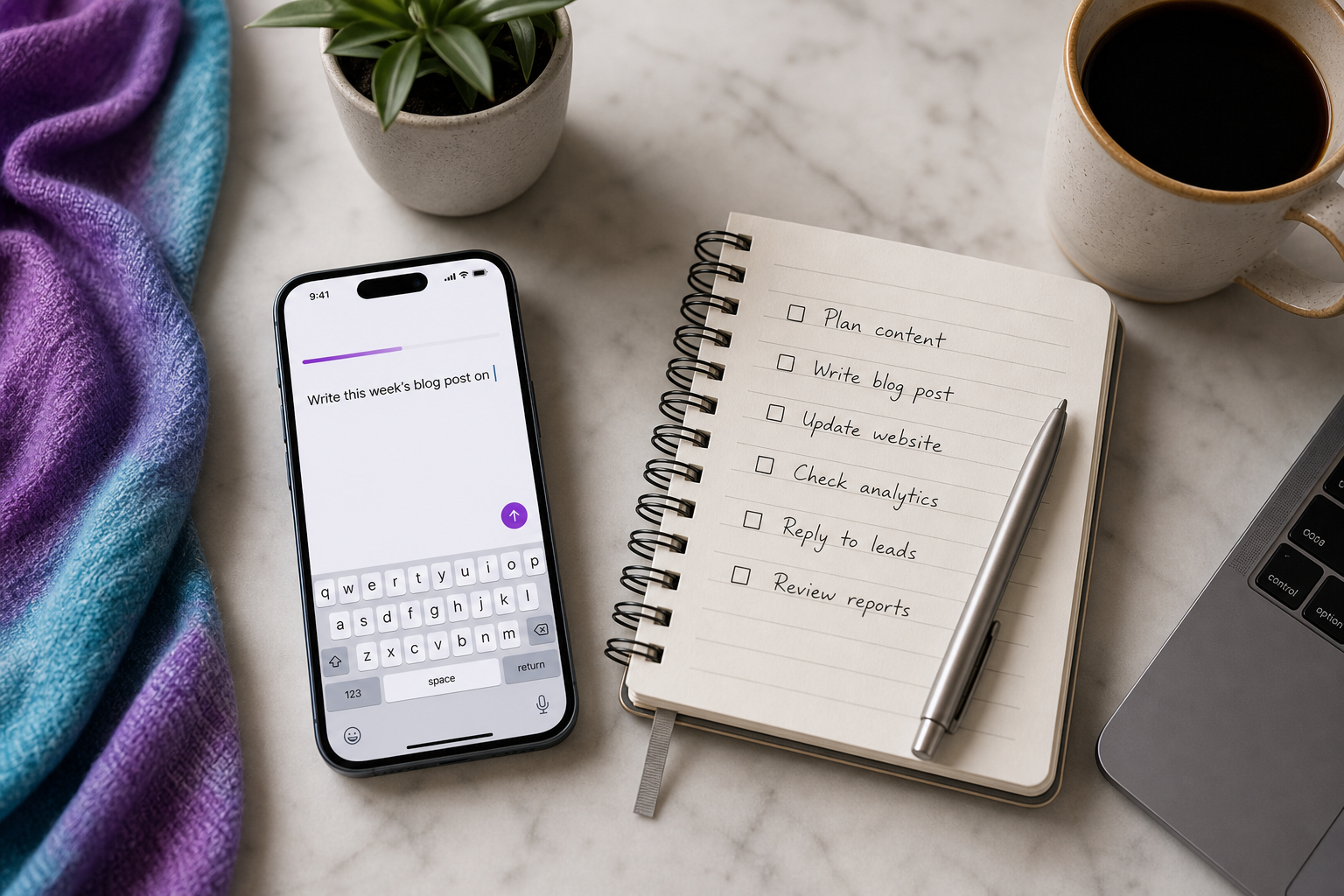
- Content production → Blog Writer. The weekly post you keep skipping because starting it feels like a wall. Manual cost: 2–3 hours per post, plus the dread that stops you opening the doc at all. Agent returns: a finished Markdown post, ready to publish.
- Lead generation → Lead Hunter. The prospect list you assemble by hand, tab by tab, into a spreadsheet. Manual cost: an afternoon of copy-paste per list, every time you need fresh names. Agent returns: a CSV of qualified contacts you can import straight into your CRM.
- Competitive intelligence → Web Scraper. The competitor prices and product pages you check manually — until you get busy and quietly stop. Manual cost: a recurring hour that you'll eventually abandon. Agent returns: structured scraped data, pulled on a schedule so it never lapses.
- Reporting → Report Builder. The monthly numbers nobody has time to compile. Manual cost: half a day pulling figures from five places into one document. Agent returns: a compiled report file, formatted and ready to read.
- Repurposing → Content Repurposer. Turning one asset into ten. Manual cost: rewriting the same idea for social posts, your newsletter, and snippets — the same words, reshaped over and over. Agent returns: ready-to-post variants from a single source piece.
- Customer response → Support Drafter. The inbox backlog you keep meaning to clear. Manual cost: hours writing near-identical replies to near-identical questions. Agent returns: draft replies you review and send — drafts you approve, never auto-sent. (More on why that distinction matters below.)
Six jobs, six specialists. None of them require you to become technical. Each one swaps a recurring chunk of execution for a finished file. The point of using ai agents for small businesses this way is that you stop doing the work and start directing it.
AI Agents vs. Hiring vs. Automation Tools vs. Doing It Yourself
This is the comparison that actually drives the decision. So let's keep it honest and name where each path genuinely wins — because some of your work belongs to a human, some belongs to a trigger-based tool, and some belongs to an agent.
| Criterion | AI Agent Platform | Hiring (freelancer/employee) | Automation Tool (Zapier/Relay) | DIY Manual |
|---|---|---|---|---|
| Upfront cost | Subscription, low | High (salary + onboarding) | Subscription, low | $0 cash, high time |
| Time to first output | Minutes | Days–weeks | Hours–days | Immediate but slow |
| Technical skill required | None (plain English) | Varies to brief | Moderate (build steps) | None |
| Produces finished files | Yes (MD/CSV/reports) | Yes | No (moves data) | Yes |
| Scales without management | Yes | No | Partially | No |
| Handles ambiguous tasks | Yes | Yes | No | Yes |
| Best for | Recurring execution | Judgment work | App triggers | One-off tasks |
The first thing to understand: automation tools and agents aren't really competitors. They're different categories solving different problems. According to Orkes, workflows are "best suited to structured, repeatable processes," while agents are "ideal for dynamic, ambiguous tasks where an LLM dynamically directs tools and processes." If your task is "when a payment clears, send a receipt," that's automation — predictable, conditional, perfect for a trigger. If your task is "write this week's post in our voice," that's an agent, because no preset path produces it.
Nominal sharpens the line further, describing agents as "autonomous software processes that proactively monitor systems for relevant events and act immediately, rather than waiting for scheduled triggers." Triggers wait for a condition. Agents interpret a goal. That's the whole separation between the two middle columns of the table. If the distinction between these two paradigms still feels fuzzy, it's worth understanding how agentic AI differs from generative AI.
Automation moves your data between apps. An agent does the thinking the app was never going to do for you.
Now the honest part about hiring. Humans still win decisively on judgment and relationships — and the data backs the caution. MIT Sloan research found that highly skilled workers using generative AI outside the boundary of the model's capabilities saw performance drop by 13–24 percentage points compared with non-users. Translation: agents are excellent inside their wheelhouse and a liability outside it. Strategy, negotiation, sensitive client conversations, brand-defining creative direction — that work belongs to a person. When you're weighing ai agents for small businesses against a hire, you're not choosing one or the other. You're deciding which tasks each is built to own.
How to Choose an AI Agent Platform for Your Small Business
Once you accept that agents earn their keep on recurring execution, the question shifts from "should I" to "which one." Most platforms fall into two camps. General agent builders hand you a blank canvas and expect you to assemble agents from scratch. Workflow tools are trigger-based, not goal-based — useful, but not the same thing. The buyer question underneath all of it: do you want to build tooling, or use finished specialists? For a non-technical owner, that distinction decides whether week one is productive or painful.
Run any platform through these six questions before you commit.
| Buyer Question | What to Look For | Red Flag |
|---|---|---|
| Finished files or just chat? | Delivers MD/CSV/report files | Output stuck in a chat window |
| Run it from a phone? | Mobile + web access | Desktop-only builder |
| How steep is setup? | Pre-built specialists | Build every agent from scratch |
| Where does output live? | Your own repo | Locked in vendor dashboard |
| Who owns the data? | You do; clear policy | Vague or vendor-owned |
| What model powers it? | Named, current models | Undisclosed/outdated model |
Two of those rows change decisions more than the rest, so spend your attention there.
Where output lives is an ownership question disguised as a technical one. The Australian Cyber Security Centre's small-business AI guidance stresses verifying what data a tool collects, where it's stored, and who owns the data — the business or the vendor. A platform that routes finished files to your own repository (GitHub, GitLab, or Bitbucket) answers that cleanly: the work lands in infrastructure you control. If you ever leave the tool, your files leave with you. Output trapped in a vendor's locked dashboard fails the test — you're renting access to your own work.
Setup steepness is the other swing factor. A non-technical owner shouldn't spend week one wiring agents together before producing anything. Pre-built specialists — a Blog Writer that already knows how to write a blog post, a Lead Hunter that already knows how to build a list — collapse the ramp from weeks to minutes. That's the practical case for a mobile-first platform with ready-made roles, output to your own repo, and named models like Claude and Codex under the hood. If you've ever wondered what the little agent symbol in your workflow tools actually represents, it's a useful primer on how these roles are organized. On the model question specifically, NVIDIA notes that production-grade agents should be built with embedded security, privacy, and policy controls so they reason and execute "within defined governance boundaries" — which is a lot easier to trust when the platform tells you exactly which models it runs. Picking an AI agent platform for your small business comes down to those two answers more than any feature checklist.
A Real Week of Business, Run on Agents
Forget the feature list. Here's what an actual week looks like when you direct instead of execute. Each step ends with a named file you can use immediately, and the through-line never changes: input is plain English, output is a file in your repo.
For context on the ramp — an implementation guide from Cornell Design Group reports that full AI-automation rollout typically takes 2–4 weeks depending on system complexity. But you'll see your first usable file the same day you start. The week below assumes you're past setup and into rhythm.
- Monday — Brief the Blog Writer. Describe this week's post topic and angle in two sentences: who it's for, what point it makes. Output:
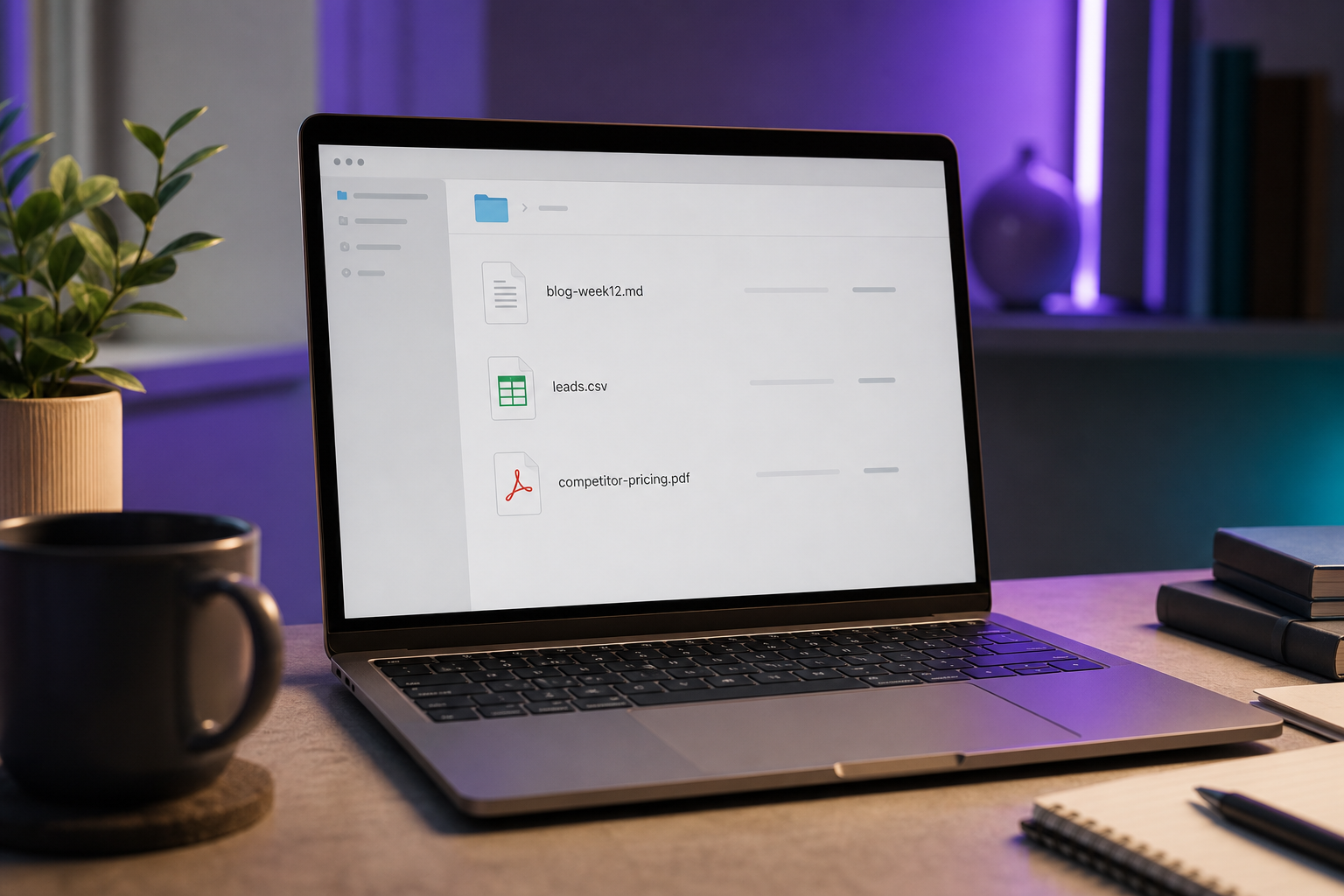
blog-week12.mdsitting in your repo by lunch, formatted and ready to publish. - Tuesday — Lead Hunter builds the list. Describe your ideal customer and the number of contacts you want. Output:
leads.csvwith 50 qualified contacts, columns ready to import. - Wednesday — Web Scraper plus Report Builder. The Web Scraper checks three competitors' pricing pages; the Report Builder compiles the findings into one document. Output:
competitor-pricing.pdf, the recurring research task you'd otherwise skip. - Thursday — Content Repurposer slices Monday's post. Point it at
blog-week12.mdand let it work. Output: a set of social variants plus a newsletter draft — and if you sell across markets, this is where you'd spin the same post into other languages. One asset, many channels. - Friday — Support Drafter clears the backlog. Feed it the week's recurring inbox questions. Output: draft replies you review, edit, and send. You stay in the loop on every one.
That's five finished deliverables for a week's work that would otherwise consume the 8–15 hours repetitive tasks typically eat. The difference isn't that the work disappeared. It's that you spent the week directing it instead of executing it — two sentences of brief per task, a quick review, and a file in hand.
When AI Agents Are the Wrong Call
Naming the limits is what makes everything above believable. Agents replace repetitive execution — they do not replace strategic ownership. Here's where handing work to an agent is a mistake.
- High-stakes judgment — legal, medical, financial, sensitive client communications. Human review isn't optional here. PwC warns that AI hallucinations create "material legal, compliance, and reputational risks" and advocates a "tech-powered, human-led" approach with rigorous human review for high-value decisions. An agent can draft a contract summary. A human signs off before anything reaches a counterparty.
- Fully automated customer support. Don't let an agent close the loop alone. CivicScience found that 45% of U.S. adults rate customer-service chatbots unfavorably and still prefer human conversations. The fix isn't to skip the agent — it's to use a Support Drafter to draft, then have a human approve and send. The customer gets a fast, accurate reply; you keep the relationship intact.
- Brand-defining creative. Agents draft; humans direct. The specific voice that makes your business recognizable — the jokes, the point of view, the lines only you would write — needs a human hand on the wheel. Use the agent for volume and first drafts, not for the work that defines who you are.
- Tasks outside the model's wheelhouse. The same MIT Sloan analysis found that within the model's capability boundary, highly skilled workers improved performance by nearly 40% — but outside that boundary, performance dropped 19 percentage points on average. Don't hand agents work they aren't built for and expect magic. Match the task to the tool.
- One-off tasks. If you'll only do it once, the brief-and-review cycle isn't worth the setup. Agents pay off on recurring work, where the time you invest in a good brief returns every single week. A single weird task? Just do it yourself.
Delegate the work that repeats. Keep the work that defines you.
The right mental model comes straight from the productivity research. In MIT Sloan's customer-support study, Danielle Li found that workers adopted only about 38% of the AI tool's suggestions yet still gained roughly 14% in productivity. That's not a failure of the tool — it's the winning pattern. The agent drafts broadly; the human selectively approves. When you treat ai agents for small businesses as a draft engine with a human editor on top, you get the speed without inheriting the risk. The moment you remove the human and let the agent close every loop unsupervised, you've traded a manageable workflow for an unmanaged liability.
Your 7-Day Agent Adoption Plan
Here's a ramp you can start today. No theory left to absorb — just a sequence that gets you from "thinking about it" to "files in my repo" inside a week.
- Day 1 — List your 5 most repetitive weekly tasks. Anything you do every week that follows a pattern. Aim squarely at the 8–15 hours per week that repetitive work typically consumes. Write them down; you can't delegate what you haven't named.
- Day 2 — Match each task to an agent role. Use the map: content → Blog Writer, lists → Lead Hunter, prices → Web Scraper, numbers → Report Builder, repurposing → Content Repurposer, inbox → Support Drafter. Most small-business tasks fall cleanly into one of the six.
- Day 3 — Run your first agent on the easiest task. Start with the Blog Writer. Lowest stakes, fastest payoff, and a finished Markdown file is satisfying proof the model works.
- Day 4–5 — Evaluate output and refine your briefs. Expect to approve selectively, not blindly. The ~38% adoption benchmark from MIT Sloan is normal and healthy — you're the editor, not a rubber stamp. Tighten the brief, add the context you missed, re-run.
- Day 6 — Connect a repo and route output where you work. Point output to GitHub, GitLab, or Bitbucket so files land where you already operate — and so you own them, per the ACSC's guidance on data ownership.
- Day 7 — Calculate hours saved, decide what to scale. Tally the time you reclaimed this week. Pick the next task to delegate. Repeat until the grind is gone.
To make every brief sharper, reuse this template. A clear brief is the entire skill — the agent does the rest.
Agent Task Brief
Goal: What finished output do you want? (e.g., "A 900-word blog post on X.")
Context: Audience, tone, key points, links to reference.
Format: File type and structure (Markdown, CSV columns, report sections).
Deliver to: Which repo or folder the file should land in.
The whole promise of ai agents for small businesses is that you can write that brief today, from your phone, and have a finished file before the day ends. The hire you've been dreading might just be a well-written brief away from unnecessary.
Common Questions About Running AI Agents for a Small Business
- Do I need any coding or technical skills to use AI agents? No. With a plain-English platform, you describe the task and receive a finished file — no flowchart-building and no API wiring. If you can write a clear two-sentence brief, you can run an agent. The technical work happens behind the scenes; your job is describing what you want and reviewing what comes back.
- How is this different from just using ChatGPT? A raw large language model answers inside a chat window and stops there. An agent dynamically directs its own steps and tools to produce and deliver a finished file. Per the Prompt Engineering Guide, agents "maintain autonomous control over how they accomplish tasks." You're getting the deliverable in your repo, not a reply you still have to act on.
- Are my business data and outputs secure, and who owns the files? Choose a platform that routes output to your own repository, so you own the files outright. The ACSC advises verifying what data a tool collects, where it's stored, and whether the business or the vendor owns it. Output landing in your own GitHub, GitLab, or Bitbucket answers all three cleanly — the work is yours, in infrastructure you control.
- How much does running AI agents cost compared to a part-time hire? A subscription is a fraction of a salary or retainer, and agents start producing in minutes versus the days of hiring and ramp a human requires. Goldman Sachs found 84% of small-business AI users cite efficiency as the top benefit — which is exactly the math that makes agents attractive to a lean team watching every dollar.